Demo Images
Link: Adobe Aero
QR Code
Anchor Image
Documentation
Process
This project is motivated by the attempt to overcome the technical challenge of creating 3D objects in Adobe Aero using only flat images. I first generated AI images of objects I wanted to make 3D, specifying in its prompt that the pictures must be in black and white and have lighting pointing at the center. This specification is intended to make dividing the image into different layers easier based on its brightness/darkness.
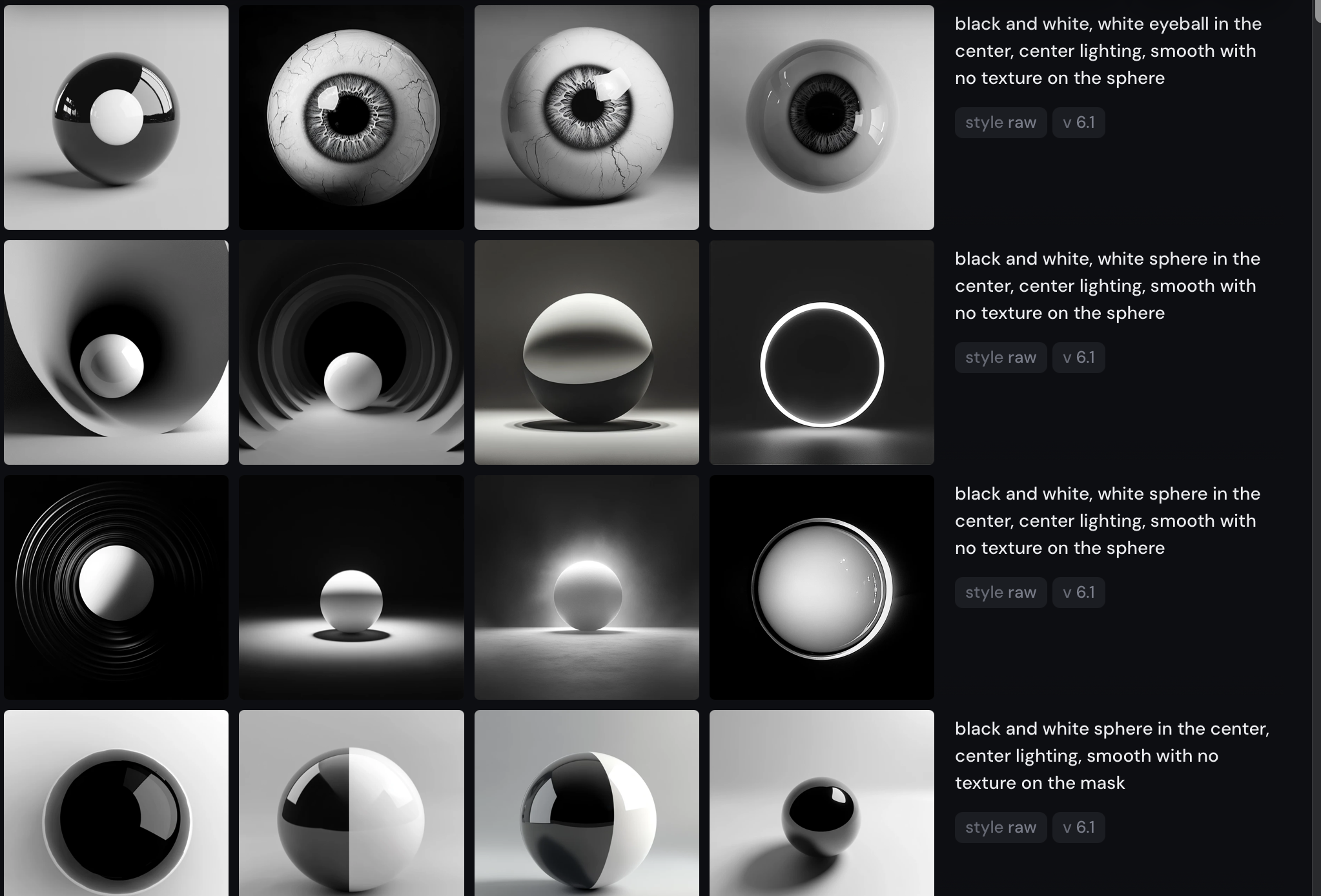
I then dragged each image into Photoshop and separated them into different layers using the magic wand tool/the round selection tool.
Next, I imported the PSD files into Adobe Aero and adjusted the distance between each layer using the layer spacing toggle to create a sense of depth based on the order of the layers.
The spherical shape of the eyeball is formed by multiplying a single side of the eyeball image 5 times and stacking them onto each other.
Reflection
As the 3D effect that I want to achieve is the complete opposite of the flatness of the image that I chose, I wanted to make the contrast more apparent by increasing the sizes of the 3D objects, making the scene more chaotic, and dramatizing the spacing between each object to emphasize the three-dimensionality of the x, y, and z-axis. The story I want to tell through the scene happens in an alien world entirely foreign to ours that seems absurd and random. In this alien world, everything is under constant surveillance by the eyeballs that can perceive every angle and the mask figures that float about in mid-air, looking down onto visitors of this world. Other than to elicit the sentiment of strangeness and absurdism, I want the audience of this experience to feel a reciprocal relationship with the artwork(as they perceive it, it is also perceiving them) so that it is no longer a boring passive object to look at but something lively, mysterious, and even dangerous.